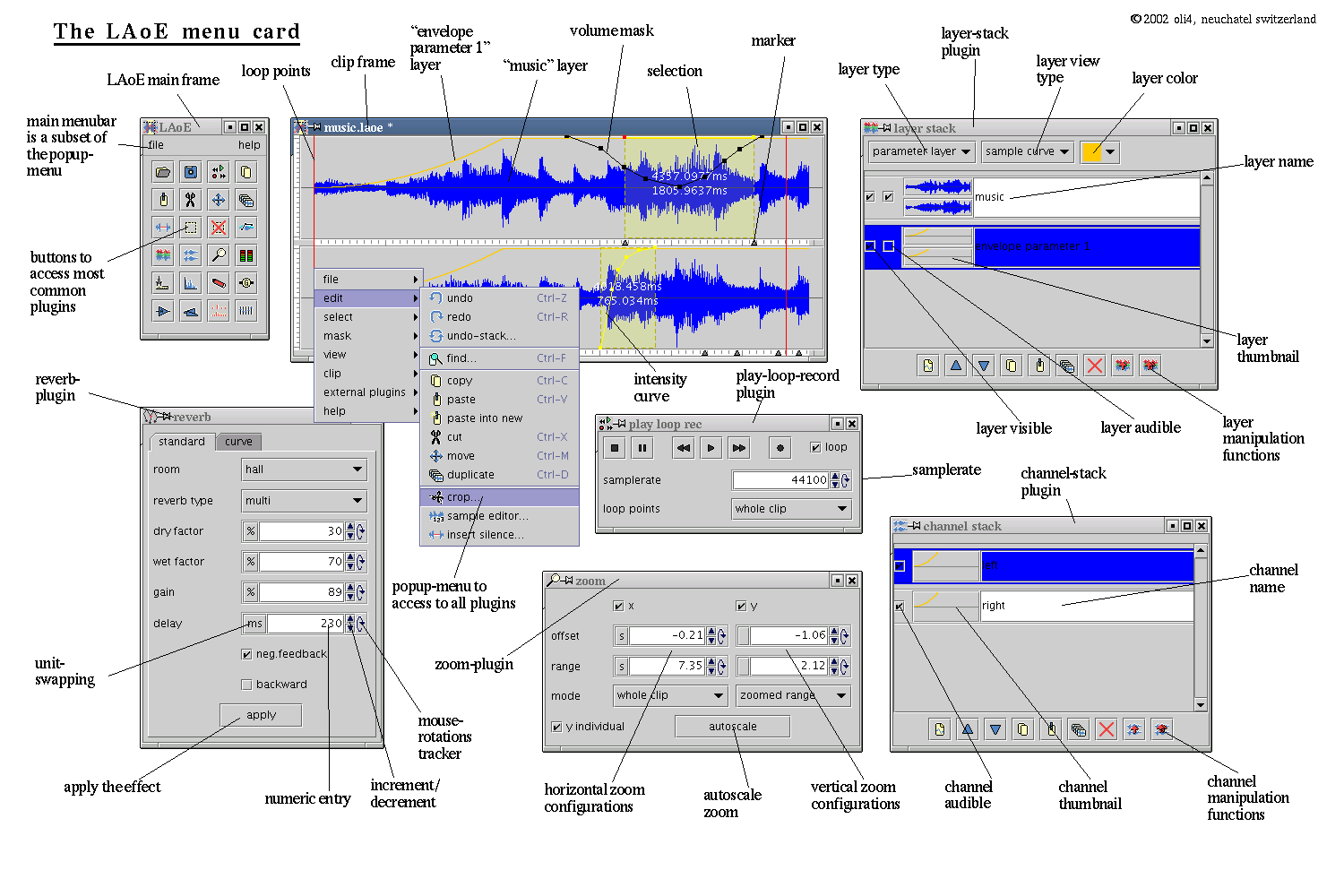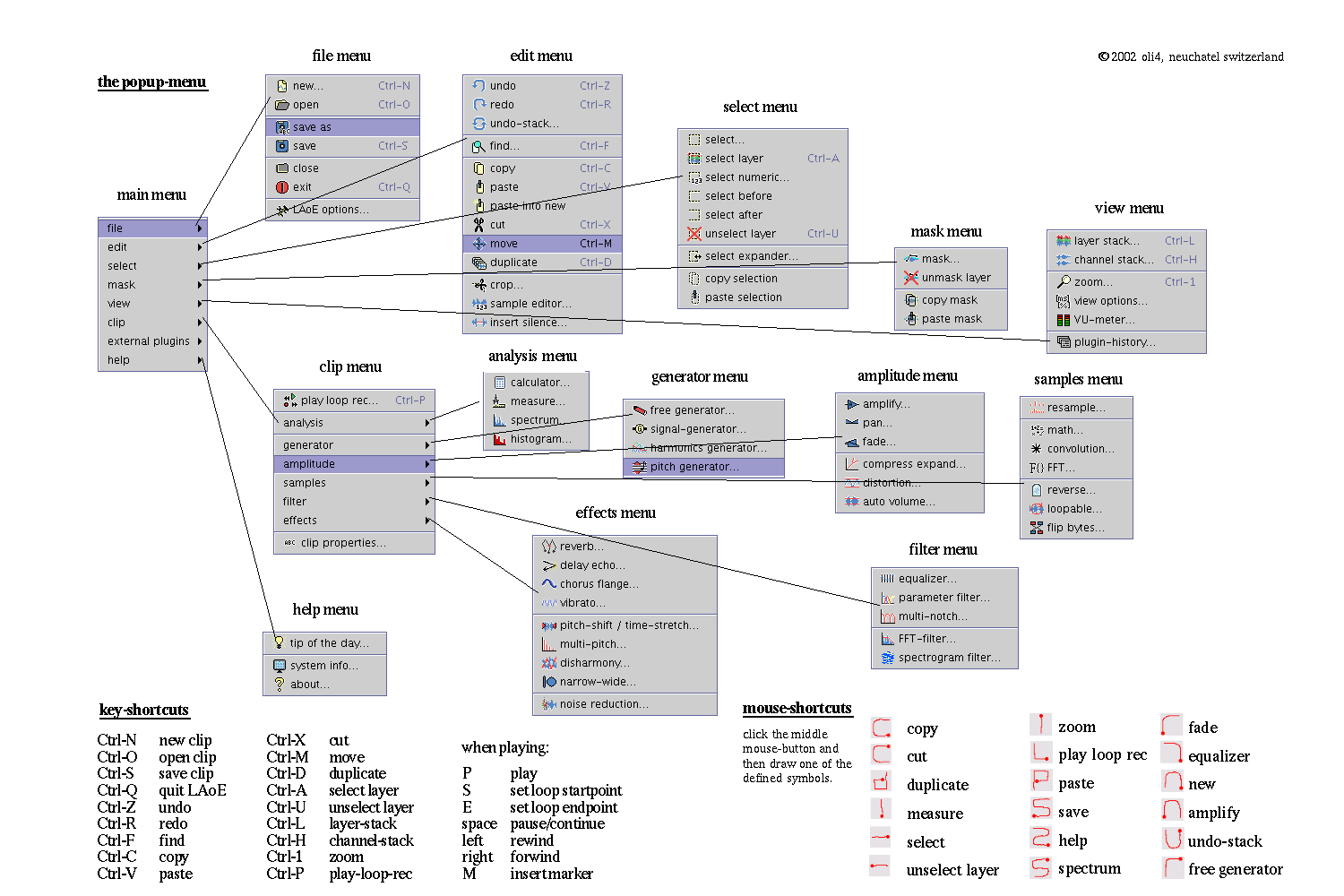

Here an incomplete list of the features of LAoE:
-
•readable filetypes: .ogg .mp3 .wav .laoe
-
•writable filetypes: .wav .laoe
-
•custom file format .laoe stores the separate layers, editing states and documentation
-
•multi-channel support (mono, stereo, 3 and more), number of channels limited by hardware and sound-system only
-
•multi-layer support (tracks containing multiple channels), number of layers limited by hardware only
-
•floating point sample processing
-
•one volume-mask per channel
-
•several standard editing functions like copy, paste, cut, move, duplicate, crop...
-
•unlimited undo-history with absolute view
-
•extended select functions with variable intensity curve to define smooth selections, and several selection manipulation functions
-
•layer-stack and channel-stack to manipulate these objects
-
•zoomable sample-curve view
-
•zoomable and configurable spectrogram-view
-
•analysis tools like spectrum view, measure tools, statistics, calculator...
-
•diverse waveform generators like signal-generator (rectangle, triangle, sinus...), harmonics generator, pitch generator, freehand generator with diverse interpolation features...
-
•divers amplitude functions like balance, divers fades, compress expand, distortion, autovolume...
-
•diverse sample-functions like constant and variable resampling , diverse math functions, convolution, forward and inverse fast fourier transform (yes, you can edit the freqeuncy domain!)...
-
•some filters like parameter-filter, equalizer, multi-notch filter, FFT filter...
-
•a great spectrogram-filter, which allows to edit in spectrogram-domain, using a brush or rectangle tool to select shapes
-
•many audio-effects like multiple reverbs, delay-echo, chorus-flange, multipitch, disharmony, pitch shift, time stretch etc...
-
•a disharmony-plugin to completely disharmonize a sound in several ways
-
•some plugins (effects and functions) accept a function curve as parameter, to perform variations in time of a parameter of that effect or function
-
•uniform clip concept allows to perform all these effects and function on usual time-domain audiosamples, frequency-domain spectrums (magnitude, phase) or any parameter curve
-
•graphic objects may be drawn onto the clip, for documentation purpose
-
•extensible plugin architecture